Do you know your BACnet network?

Monitor your network to stop problems from growing 
Do you know your BACnet network?

BACnet networks are pretty predictable. Apart from new device additions, the network activity is normally very regular and regimented: lighting and HVAC go on and off according to tenants’ needs, while surveillance and security systems remain on. Problems like devices dropping offline, breakers restarting, and a slow network don’t just suddenly erupt out of nowhere… Or at least, they shouldn’t. The reality is, without a solid knowledge of your BACnet network, you could be in for a lot of bad surprises.

You need to monitor your BACnet network in order to anticipate issues and respond proactively. This is easier said than done, though. To gain that deep understanding, you would need periodic packet captures (pcaps): at least at the beginning and end of the day, and maybe even more, depending on the system. These sporadic captures will show how the network is behaving in response to different variables. 

But who wants to put in that time? Who even has that kind of time? To get those regular captures, you would have to trek down to the site; sit for an hour, waiting to get a capture; load the capture into Visual BACnet or Wireshark; and finally start assessing the health of your network. Do that two (or more) times a day, and that’s a lot of time and energy to get a regular read on your BACnet health. 

This is exactly why Optigo Networks has released two innovative new features for Visual BACnet: Capture Service and BACnet Site Monitoring. These solutions get you on familiar terms with your BACnet network, so you can track health over time and preempt potential problems. 

The Capture Service allows users to schedule regular pcaps on an hourly, daily, or irregular basis. Instead of waiting around for a packet to capture, you can focus on other priorities — or, focus on getting some sleep, if your devices start coming online at 3 a.m. Those scheduled pcaps will automatically upload straight into Visual BACnet. 

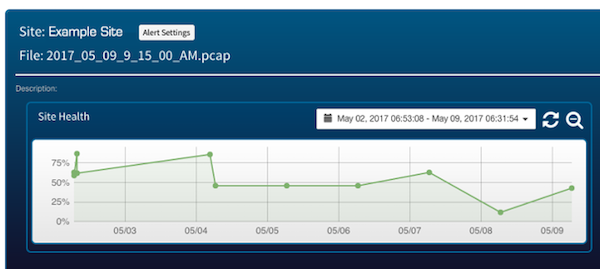
After your scheduled pcaps have loaded into Visual BACnet, you can look at the network health score and drill down into the network’s behaviour. Visual BACnet puts your pcap file through a series of health checks and calculates a concrete network health score: 100% is good, and 0% is a failing grade. Clicking into the network health score lets you deep dive to better understand what went wrong on your network, while graphs and other visualizations help you quickly pinpoint patterns and problems. 

BACnet Site Monitoring alerts you when anything changes on your smart building network. Email notifications will warn you if the health score drops below a threshold or changes too much. With these alerts, you’ll know the instant there’s a problem, and can pinpoint exactly what went wrong, when, and how. If you have a new deployment on a multi-vendor site and spot an issue, you can call your contractor back the same day they install; no extra costs to fix problems caused by new deployments and updates. 

One of the beta testers for BACnet Site Monitoring quickly saw the benefits to these notifications. One day, some new devices were added to the network. The installation seemed to go well, and the contractor finished up the job. When the beta tester checked their email, though, they saw a steep drop in network health: it went from 78% to 0% in a single day. Because they quickly saw the network issues and could pinpoint when and why this happened, they were able to pull their contractors back in the next day. The problems were resolved, and the beta tester wasn’t charged for the emergency call. 

Keeping tabs on your BACnet network is the only way to monitor, troubleshoot, and maintain its health. A keen understanding of the system’s patterns and behaviours can show you problems you didn’t even know existed: whether an issue is simmering under the surface, or pops up suddenly because of a big network change. Take control of your smart building network today, with Site Monitoring. 

Watch our video to learn more about our new Capture Service and BACnet Site Monitoring!


Recent Blog Posts

You’re in the design phase of a new building. Contractors and vendors are all coming at you with demands.

The consulting specifying engineer of today is venturing into totally new territory: Division 25.

If you’re tired of going on site to capture BACnet data, look no further than your JACE.

OT Networks Overview

The latest release from Visual BACnet brings huge convenience and time saving for users with JACE controllers.

Recent Projects

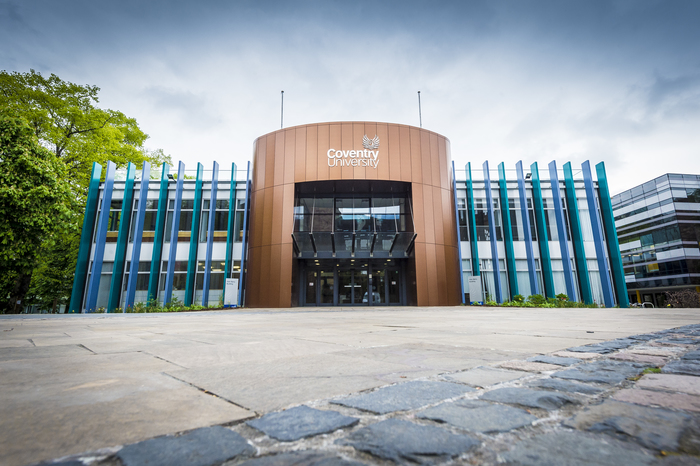
Coventry University

COVENTRY UNIVERSITY

Chris Goodman, the Senior BMS Technician at Coventry University, had broadcast storms that were happening more and more frequently. 

Ongoing construction due to Coventry’s campus expansion meant lots of new activity, with technicians installing new devices and making network changes. Already juggling these constant additions and alterations, Goodman and his small team then had to deal with the subsequent broadcast storms. As the broadcast storms became more frequent, Goodman and his team needed a solution.

Find out how Visual BACnet helped Chris solve the broadcast storms and improve Network Health in our free case study!

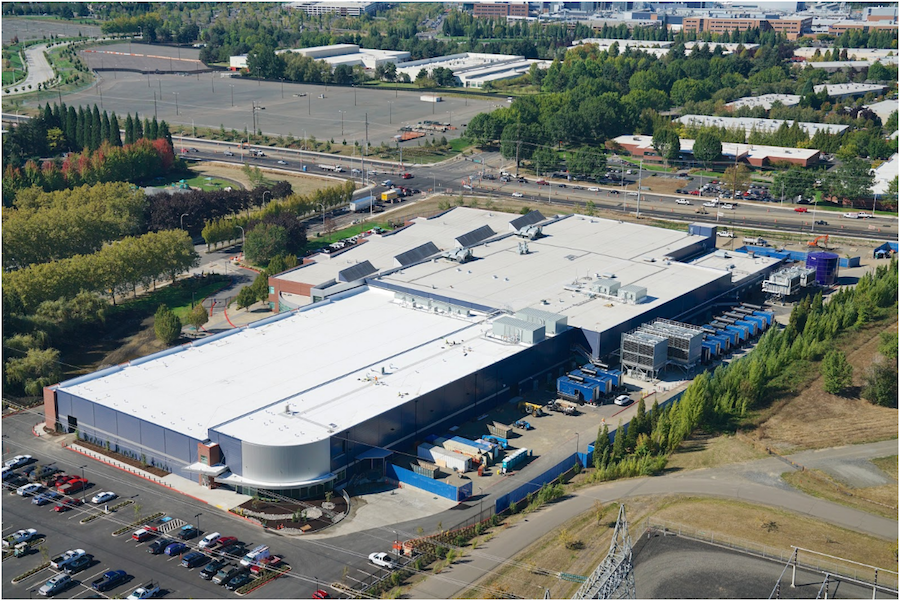
Data center expansion with OTI and Optigo Connect

DATA CENTER EXPANSION

Stack Infrastructure is a portfolio of hyperscale computing data centers. OTI completed work on Phases I and II, and returned for the Phase III build-out of a 4-megawatt data hall and brand new central plant. The Optigo Connect network put in place in Phases I and II was expanded on this project. The team achieved quick roll-out of a large, multi-service redundant network using the Optigo OneView management interface. Going forward, the facility management team can use OneView to remotely monitor equipment, manage power usage, and meet up-time goals.

Optigo Connect MR Soluciones The Landmark

THE LANDMARK

The Landmark is a sophisticated mixed-use high-rise in Mexico. The owners wanted to integrate all OT systems in the skyscraper, while maintaining separate networks for each application. The Landmark is the fourth joint project between Optigo Networks and MR Soluciones. Together, these companies provide robust services to meet any challenge.

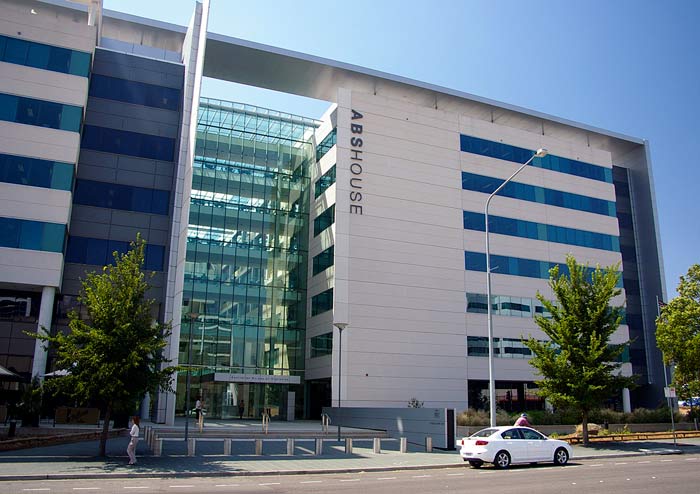
Australian Bureau of Statistics at 45 Benjamin Way with Delta Building Automation

45 BENJAMIN WAY

Delta Building Automation (Australia) had a big job renovating the Headquarters for the Australian Bureau of Statistics (ABS) at 45 Benjamin Way. The building owner wanted to improve the building’s energy use and increase their National Australian Built Environment Rating System (NABERS) score to more than 4.5 stars, out of a possible total of six. Securing the network both internally and externally was a big priority, as well.

Penn State University Optigo Networks Visual BACnet

PENN STATE UNIVERSITY

When Tom Walker looked at Penn State University’s Navy Yard network, he saw huge issues. The system was busy and loud, to the point where the overrun network was bringing down the entire building. Because this was happening on the MS/TP network, pinpointing the problem would mean boots on the ground to segment and test the chain, piece by piece.

Penn State University Optigo Networks Visual BACnet

PENN STATE UNIVERSITY

When Tom Walker first started working at Penn State University four years ago, there were a lot of network issues. Buildings were dropping offline. Broadcast traffic was pushing 90,000 packets per hour. Walker was on the phone almost every single night because devices were down or had to be reset.


Torre Manacar Mexico City Optigo Connect

TORRE MANACAR

When MR Soluciones began work on Torre Manacar, they knew they needed a flexible and scalable network infrastructure to support a wide array of integrated systems. Optigo Networks was a natural fit for the massive project, designing a robust network at a competitive cost.

short

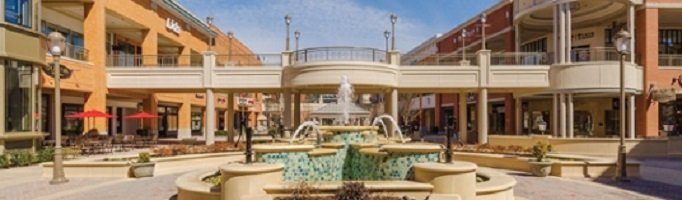
SHORT PUMP TOWN CENTER

Short Pump Town Center, an upscale retail center, underwent a complete renovation in 2014. The flexibility of Optigo Networks’ solution meant the retail center’s unknown final design was not a barrier to placing IP surveillance equipment in the field.

BOULEVARD MALL

BOULEVARD MALL

Optigo Networks connected New York-based Boulevard Mall’s security surveillance devices in December 2015, using a Passive Daisy Chain topology.

Visual BACnet tech support team

TECH SUPPORT TEAM

One tech support team at a manufacturer purchased an account with Visual BACnet in April 2017, for technical problems around the world.