Secure your networks with a single button

Groundbreaking new feature for Optigo Connect merges easy-to-manage switches with secure systems
Secure your networks

The importance of security in a building network cannot be overstated. One minor risk can quickly become a big one, and any vulnerability is an opportunity to the wrong person. Your unsecured HVAC system is an open door to your IT system or other network devices; a hacker could launch denial of service attacks, or shut down all security surveillance equipment.

That’s why when new devices are up and running, the first thing the building operator will want to do is make sure the network is secure. This is a huge task, though, since each switch has to be configured individually; whether you’re using graphical user interface (GUI) or command-line interface (CLI), you’re in for a long process.

So, either the network is secure but using it is impossible; or the entire network is vulnerable because communicating with the network admin takes too long. Oftentimes, facility managers don’t go through the securing process at all. If there’s any chance of devices being moved or swapped, they’ll leave unused ports enabled so they can quickly “plug ‘n’ play.” This might be efficient, but it can become a massive security risk. Someone could connect their laptop to an edge device (such as a camera), access the network, and mess with the system. That might entail denial of service attacks, turning off equipment, or opening all the doors in the access control system.

It puts building operators in a seemingly impossible position. Either you use your valuable time spending hours securing the building network, or you cut corners and allow security risks.

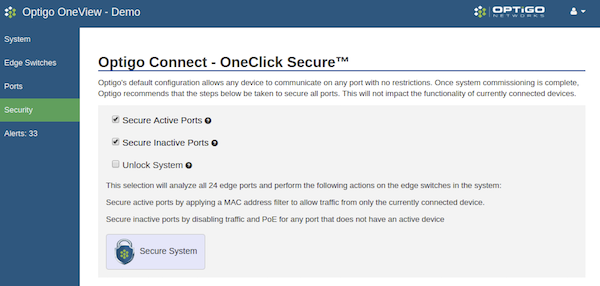
This is exactly why we have introduced OneClick Secure: a groundbreaking new feature for Optigo Connect, our comprehensive suite of smart building network hardware and software. OneClick Secure merges easy-to-manage switches with secure systems. With the click of a single button, you can close all of the unused ports in your network, and lock the used ports to the applicable MAC address. The User Interface in OneView then shows you exactly what changes were applied to the system, and the status of each port. When you need to make network additions and updates, simply unlock the network, or unlock the appropriate ports and make the changes you need. When you’re done, re-secure your whole network with the click of a button.

OneClick Secure means you don’t have to manually lock or disable ports, one-by-one — a massive time-saver when you have hundreds or thousands of ports to manage. There is no choosing between safety and simplicity: you need both in order to have a fully secure network.


Recent Blog Posts

You’re in the design phase of a new building. Contractors and vendors are all coming at you with demands.

The consulting specifying engineer of today is venturing into totally new territory: Division 25.

If you’re tired of going on site to capture BACnet data, look no further than your JACE.

OT Networks Overview

The latest release from Visual BACnet brings huge convenience and time saving for users with JACE controllers.

Recent Projects

Coventry University

COVENTRY UNIVERSITY

Chris Goodman, the Senior BMS Technician at Coventry University, had broadcast storms that were happening more and more frequently. 

Ongoing construction due to Coventry’s campus expansion meant lots of new activity, with technicians installing new devices and making network changes. Already juggling these constant additions and alterations, Goodman and his small team then had to deal with the subsequent broadcast storms. As the broadcast storms became more frequent, Goodman and his team needed a solution.

Find out how Visual BACnet helped Chris solve the broadcast storms and improve Network Health in our free case study!

Data center expansion with OTI and Optigo Connect

DATA CENTER EXPANSION

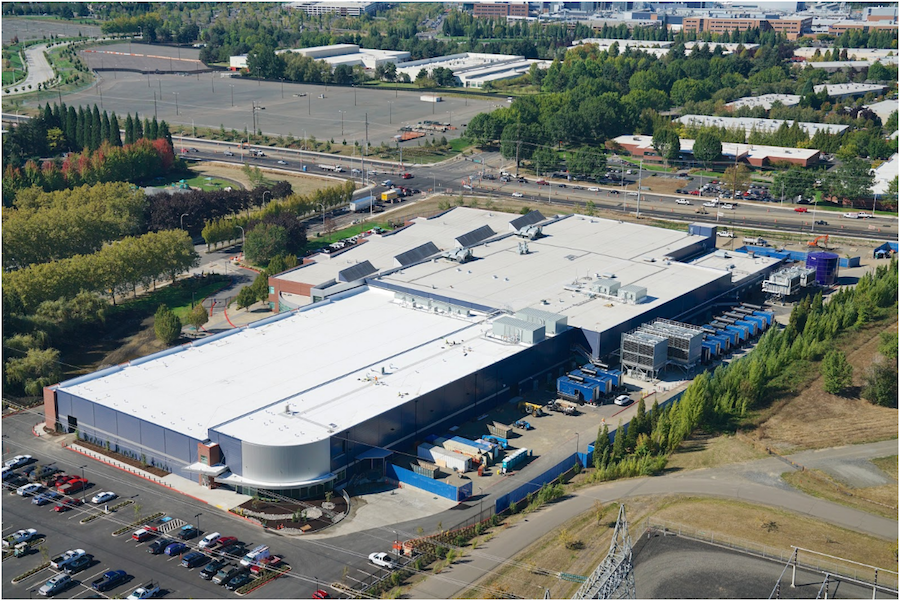
Stack Infrastructure is a portfolio of hyperscale computing data centers. OTI completed work on Phases I and II, and returned for the Phase III build-out of a 4-megawatt data hall and brand new central plant. The Optigo Connect network put in place in Phases I and II was expanded on this project. The team achieved quick roll-out of a large, multi-service redundant network using the Optigo OneView management interface. Going forward, the facility management team can use OneView to remotely monitor equipment, manage power usage, and meet up-time goals.

Optigo Connect MR Soluciones The Landmark

THE LANDMARK

The Landmark is a sophisticated mixed-use high-rise in Mexico. The owners wanted to integrate all OT systems in the skyscraper, while maintaining separate networks for each application. The Landmark is the fourth joint project between Optigo Networks and MR Soluciones. Together, these companies provide robust services to meet any challenge.

Australian Bureau of Statistics at 45 Benjamin Way with Delta Building Automation

45 BENJAMIN WAY

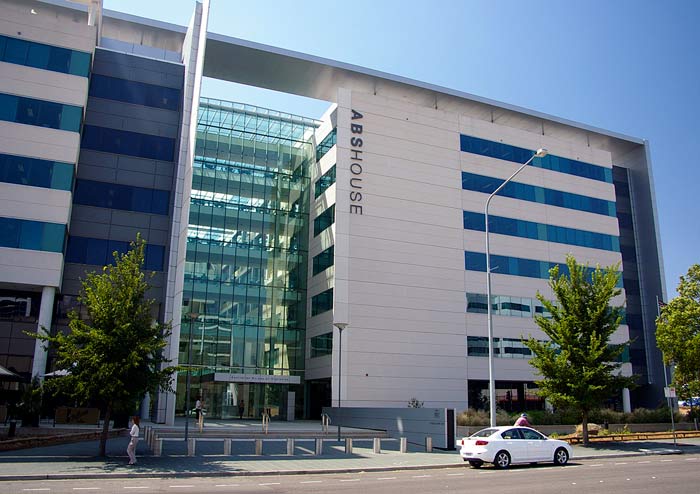
Delta Building Automation (Australia) had a big job renovating the Headquarters for the Australian Bureau of Statistics (ABS) at 45 Benjamin Way. The building owner wanted to improve the building’s energy use and increase their National Australian Built Environment Rating System (NABERS) score to more than 4.5 stars, out of a possible total of six. Securing the network both internally and externally was a big priority, as well.

Penn State University Optigo Networks Visual BACnet

PENN STATE UNIVERSITY

When Tom Walker looked at Penn State University’s Navy Yard network, he saw huge issues. The system was busy and loud, to the point where the overrun network was bringing down the entire building. Because this was happening on the MS/TP network, pinpointing the problem would mean boots on the ground to segment and test the chain, piece by piece.

Penn State University Optigo Networks Visual BACnet

PENN STATE UNIVERSITY

When Tom Walker first started working at Penn State University four years ago, there were a lot of network issues. Buildings were dropping offline. Broadcast traffic was pushing 90,000 packets per hour. Walker was on the phone almost every single night because devices were down or had to be reset.


Torre Manacar Mexico City Optigo Connect

TORRE MANACAR

When MR Soluciones began work on Torre Manacar, they knew they needed a flexible and scalable network infrastructure to support a wide array of integrated systems. Optigo Networks was a natural fit for the massive project, designing a robust network at a competitive cost.

short

SHORT PUMP TOWN CENTER

Short Pump Town Center, an upscale retail center, underwent a complete renovation in 2014. The flexibility of Optigo Networks’ solution meant the retail center’s unknown final design was not a barrier to placing IP surveillance equipment in the field.

BOULEVARD MALL

BOULEVARD MALL

Optigo Networks connected New York-based Boulevard Mall’s security surveillance devices in December 2015, using a Passive Daisy Chain topology.

Visual BACnet tech support team

TECH SUPPORT TEAM

One tech support team at a manufacturer purchased an account with Visual BACnet in April 2017, for technical problems around the world.