10-Minute Webinar: Unresponsive Devices

Finding and resolving Unresponsive Devices on your network

Unresponsive Devices can cause a lot of unnecessary traffic on an  Operational Technology network, but it can be difficult to pinpoint exactly what’s causing the problem. Unresponsive Devices could be caused by a misconfiguration, a physical issue, or a combination. Fortunately, Visual BACnet highlights exactly which devices are unresponsive, and which devices are searching for them, so you can go and investigate. 

Check out our 10-Minute Webinar, where we explored top tips for finding and fixing Unresponsive Devices. Find out what usually causes such issues, and how you can resolve them. 

Flickering lights. Erratic heating. Slow or missing data. One tiny little strand of wire can cause big problems on your MS/TP networks.
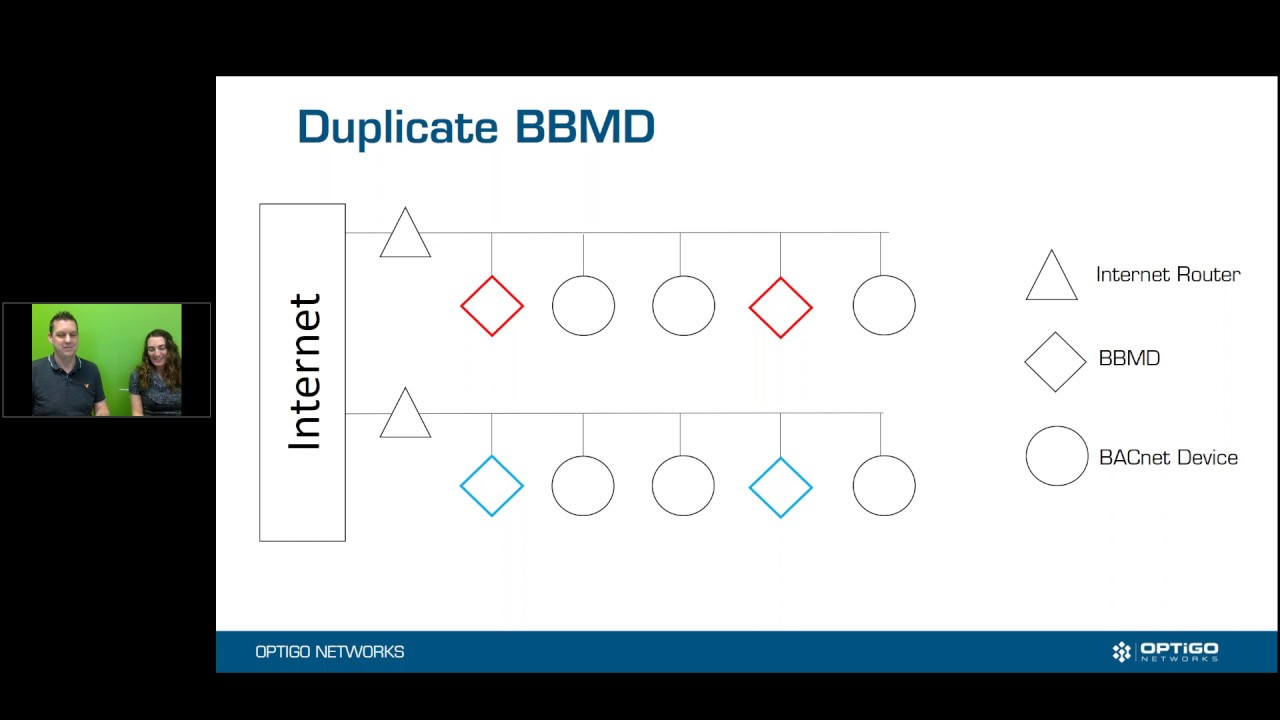
Join Ryan Hughson, Optigo Networks’ Manager of Building Solutions, and Monica McMahen, Marketing Manager, as they detail the ins and outs of duplicate BBMDs.

Join Ryan Hughson and Monica McMahen as they discuss circular networks. How does a circular network happen, and how can you recognize it? How do you fix it, and how is it identified in Visual BACnet? All of this in less than 10 minutes!

On September 10, 2016, Optigo Networks launched Visual BACnet, the advanced visualization tool for Building Automation System (BAS) service providers. One year later, how has Visual BACnet evolved?
How do duplicate networks happen? What can you do to spot duplicate networks in Visual BACnet, and how can you prevent them in the future?
Getting regular captures of your building network is crucial to understanding its behaviour. Without daily or weekly insights into your network health, you can’t possibly begin to improve it.
Power over Ethernet (PoE) is the rising star of the building automation and security industry. Cameras, access control, lighting and HVAC devices can be powered and communicate on the network with just a single Ethernet connection.

When Australian energy analytics company BUENO Systems used to start working with a new building, they would have no idea what was happening on the building’s network.

Operational technology (OT) — including HVAC, lighting, and security — is regularly managed by IT departments alongside computers and phones.